
How to Secure Fort Worth’s Co-Working Spaces Effectively
To secure co-working spaces in Fort Worth, implement measures such as keycard access for controlled entry, surveillance cameras for monitoring, and regular security audits. Encouraging users to be vigilant about their belongings and to report suspicious activities also enhances safety in these shared environments.
Fort Worth added thousands of flexible desks across West 7th and Near Southside over the past five years. Each new co-working floor mixes strangers, laptops, and 24-hour keycard access in one open room. That mix makes co-working space security different from a standard office in Fort Worth.
Members expect open collaboration. Owners expect controlled risk. This post shows how to protect people, laptops, and private meeting rooms without killing the open feel that fills desks.
Why Co-Working Space Security Differs From a Standard Office
A traditional office knows every person inside. A co-working floor does not. Day-pass users, guests, and new members rotate in constantly.
That churn creates three problems:
- Tailgating: One member badges in, five people follow behind.
- Laptop theft: Unattended gear on shared desks disappears fast.
- After-hours access: 24/7 keycards let anyone enter empty floors at 3 a.m.
A West 7th co-working operator told us their biggest loss was a stolen monitor and two laptops during a busy Thursday afternoon. No forced entry. Someone walked in during peak traffic and walked out with a bag.
The Collaboration Problem
Open desks and glass conference rooms sell memberships. They also expose screens, documents, and personal items to everyone on the floor.
Good security keeps that open feel intact. It controls the edges, not the middle.
Step-by-Step: How to Secure a Fort Worth Co-Working Space
Follow these steps in order. Each one closes a gap the previous step leaves open.
- Control the front door first. Every entry point needs badge or app-based access. No propped doors, no shared codes.
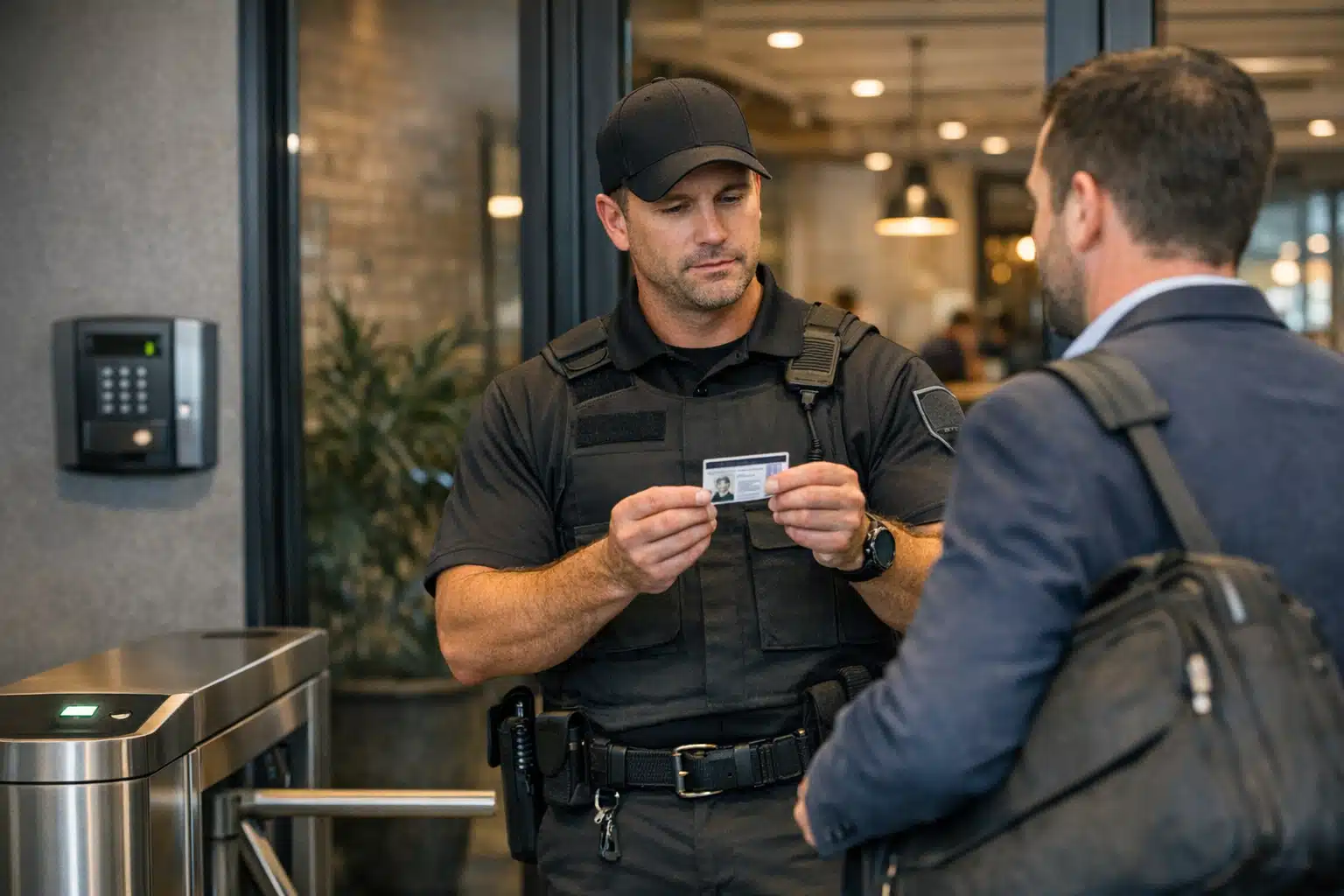
- Verify every guest. Require photo ID and a member sponsor at check-in. Log the visit with a timestamp.
- Zone your interior. Separate day-pass areas from private offices and server closets. Not every member needs access to every room.
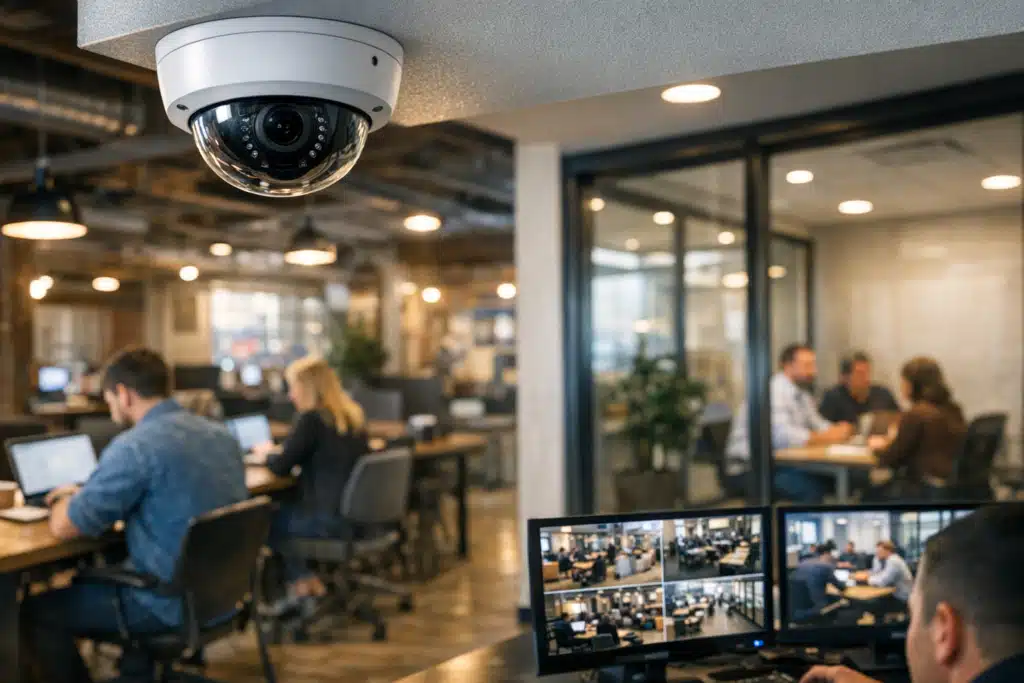
- Install monitored cameras at choke points. Cover the entrance, elevator lobby, mailroom, and each floor’s main hallway.
- Add remote video monitoring after hours. A live operator watching feeds stops theft that recorded-only cameras miss.
- Assign lockers or locking storage. Give members a place to secure laptops when they step away.
Steps one through three cost little. Steps four and five stop the losses that hurt most.
Access Control That Fits Shared Spaces
Access control decides who enters and when. For co-working, it must handle constant turnover.
Use Time-Based Permissions
Set member badges to match their plan. A day-pass user should not open the door at midnight.
- Standard members: 6 a.m. to 10 p.m. access.
- Premium 24/7 members: full access with individual badge tracking.
- Day-pass guests: staffed hours only, sponsor required.
Time limits shrink the after-hours risk window. They also give you an exact log if something goes missing.
Kill Shared Codes Immediately
Shared door codes spread fast among former members and guests. Switch to individual credentials that you can revoke in seconds.
When a Near Southside member cancels, one click ends their access. No lock changes, no re-keying.
Remote Video Monitoring for After-Hours Protection
Remote video monitoring puts a live operator behind your cameras. When motion triggers a feed at 2 a.m., a real person looks and responds.
This matters for co-working floors that sell 24/7 access. Members work alone at odd hours. Empty floors invite theft between shifts.
A monitored system does three jobs:
- Verifies alarms before police roll, cutting false-alarm fines.
- Issues live voice warnings over speakers when someone enters a restricted zone.
- Records evidence with clear timestamps for insurance and police reports.
Recorded-only cameras tell you what happened yesterday. Monitored cameras stop it tonight.
Camera Placement That Works
Cover the points where people and property move:
- Main entrance and any secondary doors.
- Elevator and stairwell landings.
- Mailroom and package storage.
- Server or IT closet doors.
- Parking garage entry, common in West 7th buildings.
Skip open-desk overhead cameras. They spook members and invade the collaboration your space sells.
Texas Weather and Physical Building Risks
North Texas storms hit hard in spring. Hail, high wind, and tornado warnings damage rooftop equipment and knock out power.
Plan for it:
- Use cameras with battery or cellular backup during outages.
- Store recordings in the cloud, not just an on-site box that can flood or fry.
- Post a severe-weather shelter plan for members working late.
Summer heat also strains equipment. Fort Worth hits triple digits for weeks. Mount recorders and network gear in cooled rooms, never in a hot closet.

 Posted on Google
On-Site Guards for High-Traffic Locations
Some Fort Worth co-working sites need a person, not just cameras. Ground-floor spaces near foot traffic draw walk-in problems.
A trained guard handles what technology cannot:
- Checks guest IDs at a busy front desk.
- Removes trespassers and unhoused individuals seeking shelter.
- Responds to member disputes and after-hours lockouts.
- Walks the floor during peak theft windows.
A part-time guard during your busiest hours costs less than one stolen laptop cluster. Pair the guard with remote monitoring overnight for full coverage.
Protecting Member Data and Private Meetings
Co-working members handle client contracts, legal files, and financial data. Physical security protects that data too.
Lock Down Private Rooms
Private offices and phone booths need real locks, not just closed doors. Assign booking-linked access so only the reserving member enters.
Watch the Print Station
Shared printers leave documents in trays. Use badge-release printing so files print only when the owner stands at the machine.
Small controls like this prevent quiet data leaks between competing companies sharing one floor.
Building a Layered Plan That Fits Your Budget
Start with the cheapest fixes, then add coverage where losses cluster.
- Week one: Kill shared codes, set individual badges, add guest logging.
- Month one: Install cameras at choke points and move recordings to the cloud.
- Month two: Add remote monitoring for after-hours feeds.
- Ongoing: Add guard hours during peak traffic if theft continues.
A layered plan spreads cost over time. It also lets you measure what each layer stops before spending more.
What This Means for Fort Worth Operators
Co-working works because members trust the space. One theft or data leak breaks that trust and empties desks. Access control, monitored cameras, and the right guard hours protect both people and property in Fort Worth without closing off the open floor.
Twin City Security Fort Worth builds security plans around each floor’s traffic, layout, and hours. Call or text 817‑922‑9774, email fortworth@twincitysecurity.com, or visit https://www.twincitysecurityfortworth.com for a Fort Worth security assessment.
Sources
- FBI – Uniform Crime Reporting (UCR) Program
- Ready.gov – Business Emergency Preparedness
- National Weather Service – Fort Worth/Dallas Forecast Office
- CISA – Physical Security
Fort Worth's co-working spaces require unique security measures due to their open layouts and constant member turnover. This guide outlines effective strategies to protect both people and property while maintaining a collaborative environment.
- Control access with badge or app-based systems to prevent unauthorized entry. Every guest should be verified and logged upon arrival.
- Install monitored cameras at key points to deter theft and ensure safety during off-hours. Remote monitoring can provide immediate responses to incidents.
- Implement individual access permissions and secure private rooms to protect sensitive information and maintain member trust.